
(ZHA + Thread/Matter Support)
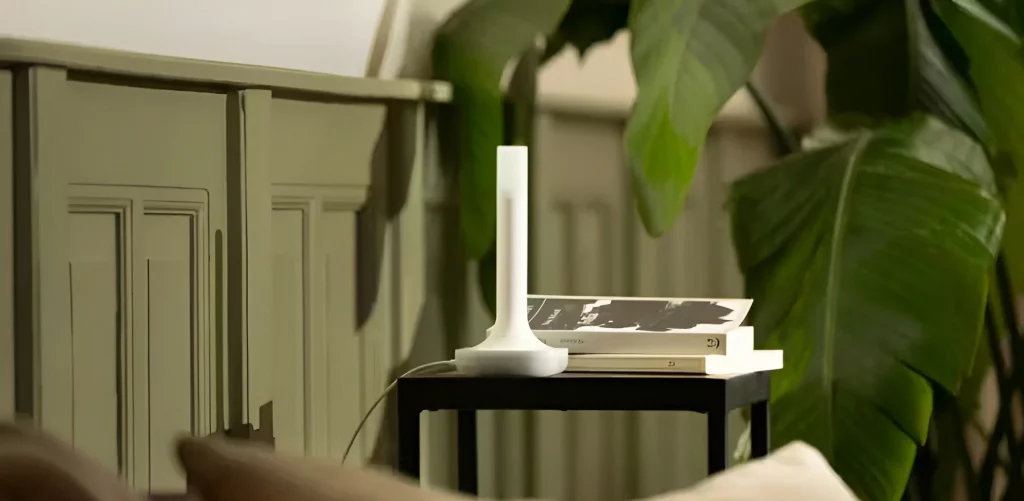
The Home Assistant Connect ZBT-2 is an official Zigbee and Thread adapter designed by Nabu Casa to give you a powerful, stable, and future-proof smart home network. It combines a high-performance Zigbee coordinator with a full Thread Border Router in one compact device — ideal for users who want the fastest, most reliable way to connect Zigbee devices today and Matter-over-Thread devices tomorrow.
This guide walks you through setting up the ZBT-2 in Home Assistant using ZHA, and enabling Thread/Matter support for compatible devices.
Table of Contents
What You’ll Need
- Home Assistant Connect ZBT-2
- A HAS, Home Assistant Green, Yellow, or any HA OS system
- A free USB-A port
- Home Assistant 2024.6 or newer
- A 2.4 GHz Wi-Fi network (for Thread/Matter devices, not for the ZBT-2 itself)
Step 1 — Plug In & Discover in Home Assistant
- Insert the ZBT-2 into a USB-A port on your Home Assistant machine.
- Wait a few seconds — Home Assistant will automatically discover it

- Click Add.
- Do you want to configure this adapter for Zigbee or Thread?
This is where you choose which radio mode you want to start with, each device can only support one.
Step 2 — Zigbee (ZHA Setup)
If you select Zigbee:
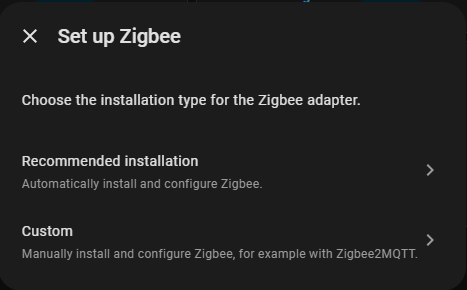
For ZHA use recommended installation, this is the easiest way to set up a zigbee network. If you need Zigbee2MQTT use custom.
It does not automatically install ZHA — so you need to add it manually:
Install ZHA
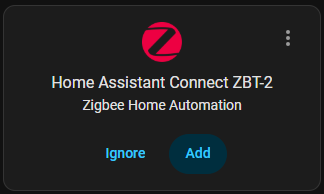
Choose the ZBT-2 when prompted, follow the steps and it will be automatically set up.
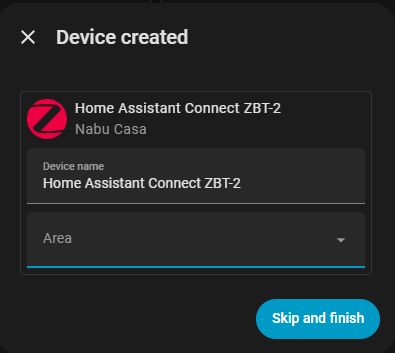
Your ZBT-2 is now your primary Zigbee coordinator.
Step 3 — Thread Setup (Thread Border Router + Matter Support)
If you select Thread when first configuring the ZBT-2:
- Home Assistant will automatically install the required add-on
- It configures the ZBT-2 as an Open Thread Border Router
- No manual setup is needed — it is fully automatic
- A Thread network now appears under Settings → Devices & Services
Step 4 — How to Change Between Zigbee ↔ Thread Later
If you selected the wrong mode or want to switch:
Go to Hardware in Home Assistant
- Open Settings → System → Hardware
- Configure the ZBT-2 from the hardware list

- Pick the new protocol you want.
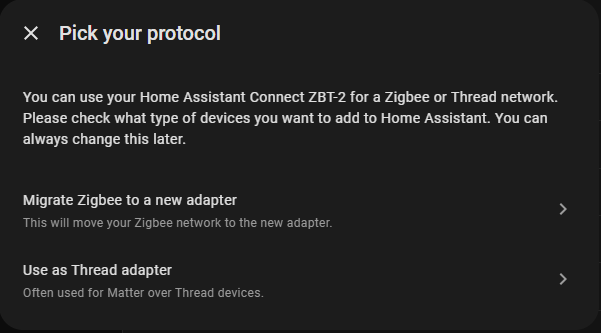
Choose your new mode.
⚠️ Note: Thread requires the OpenThread firmware. If installation fails, you may need to unplug the ZBT-2 and use the official Web Flasher — you can do that here.
FAQ
Can the ZBT-2 run ZHA and Zigbee2MQTT at the same time?
No — only one Zigbee integration per adapter.
Does the ZBT-2 require Wi-Fi?
No.
It connects via USB and provides Zigbee + Thread radio directly to Home Assistant.
Is this device future-proof?
Yes. This is the newer model for HA and will receive support for a long time.
ZBT-2 is not being detected?
Unplug the ZBT-2 and restart Home Assistant, once it is fully booted reinsert the ZBT-2. Try stay away from USB hubs as they can cause issues.
Where should the antenna be placed?
The antenna functions best in a vertical position, try and find a space where you can place the adapter upright.The device also needs to be placed in a central location, and away from devices that block radio transmission or could cause interference. This includes: wire mesh, wireless transmitters, thick walls or bodies of water.
Does it matter what USB port I plug it into?
Yes. Avoid USB 3.0, these are typically blue ports.